
Independent Demonstration · Technical Validation
Centrifugal pump
An open-source pump, explained through assembly and interaction.
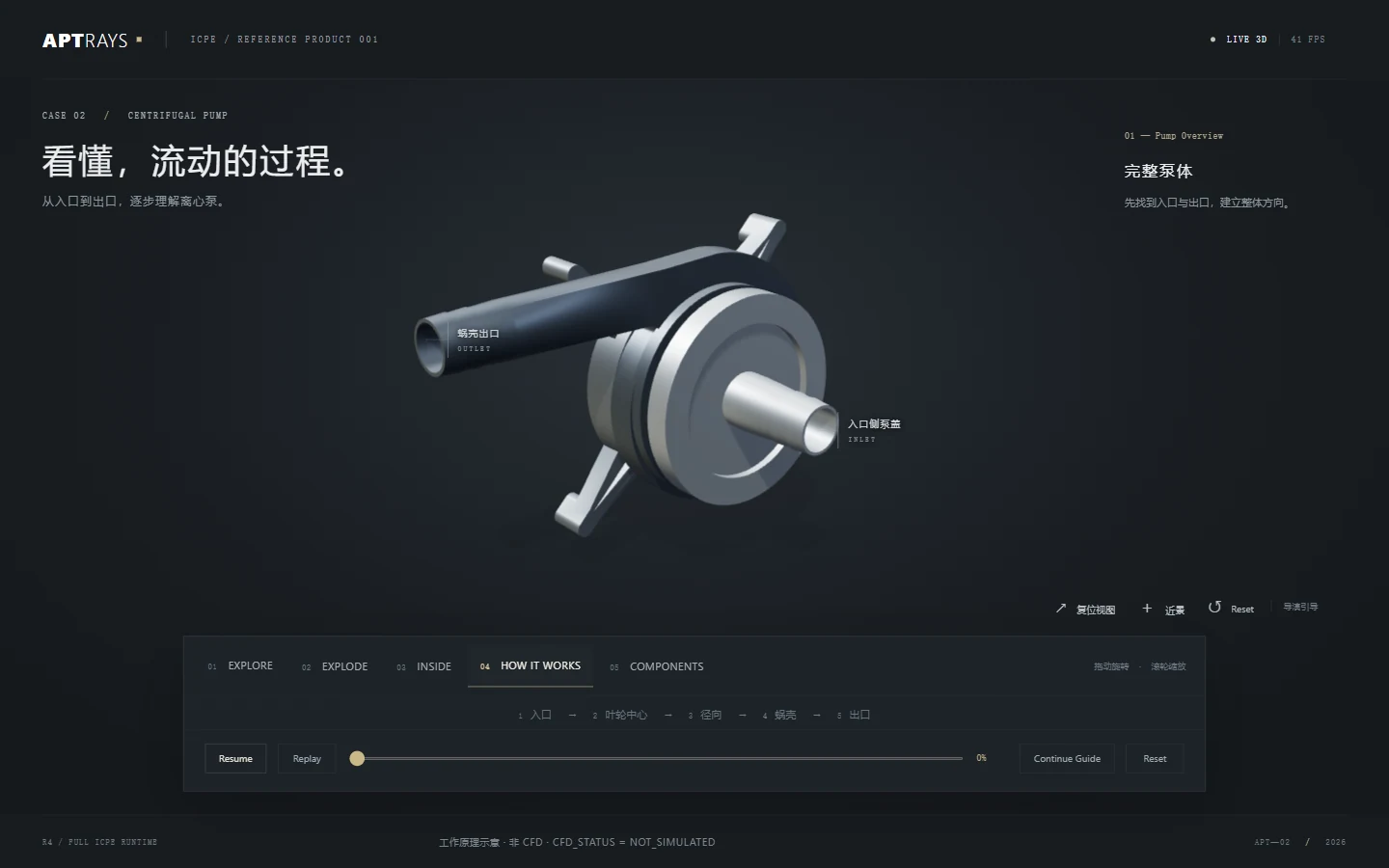
I adapted an open-source pump model into a guided product study. Assembly, inside and component views make different relationships visible, while the flow animation explains a principle without claiming a fluid simulation.
Read the study ↓Try it yourself ↓The brief
Make the relationships easier to see.
An assembled pump hides much of what explains its operation. I adapted an open-source engineering model into a presentation that lets a visitor move from the overall form to the parts inside.
The source project is Open-Source Automated Centrifugal Pump Test Rig by Clayton S. Semenzin and co-authors, published in HardwareX in 2020 under CC BY 4.0. AptRays adapted the visual presentation, explanatory labels, animation and interaction.
Full author attribution and source links ↗What I worked on
- Prepared the engineering assets for an interactive product explanation.
- Created Explore, Explode, Inside, How It Works and Components modes.
- Organized views around the impeller, volute, top and base.
- Added explanatory flow paths and a guided operating sequence.
Assembly and access
Pull the parts apart. Look inside.
The exploded view separates the visible components to explain their arrangement. The inside view reveals internal relationships while keeping the assembly context.
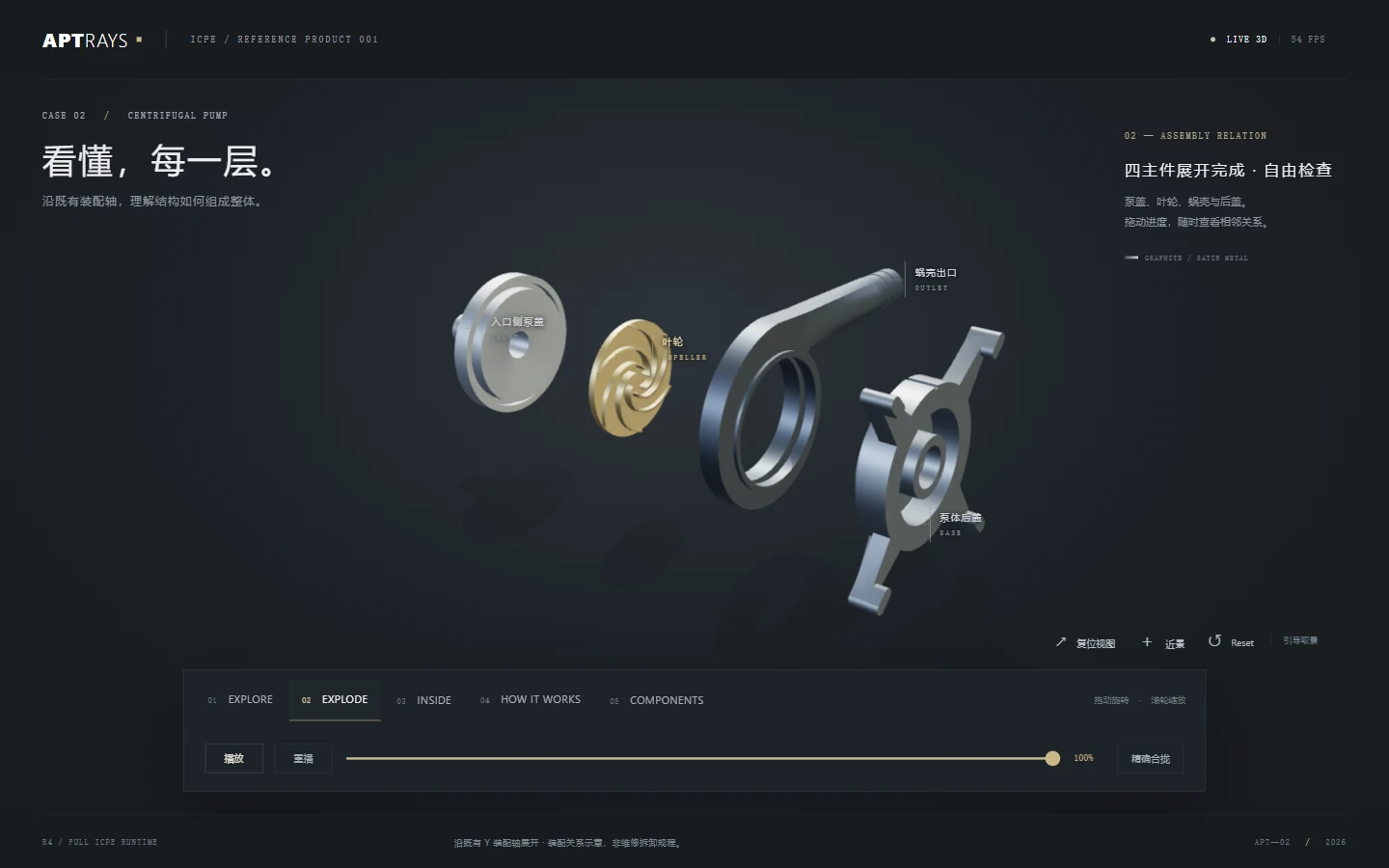
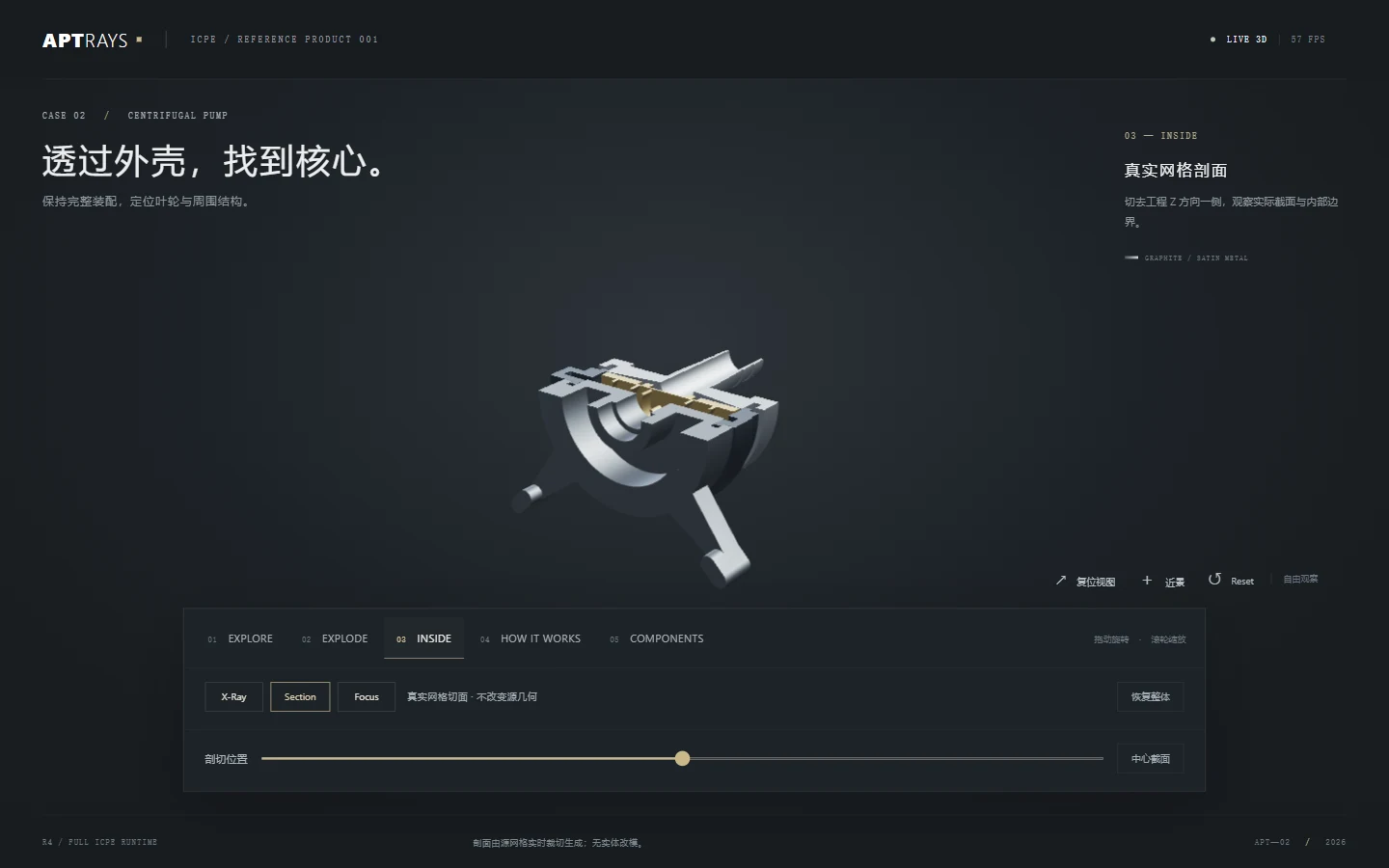
These are screenshots of the R5.1 desktop presentation. They are explanatory views, not instructions for manufacturing, service or safe operation.
Component explanation
Give each visible part a place in the story.
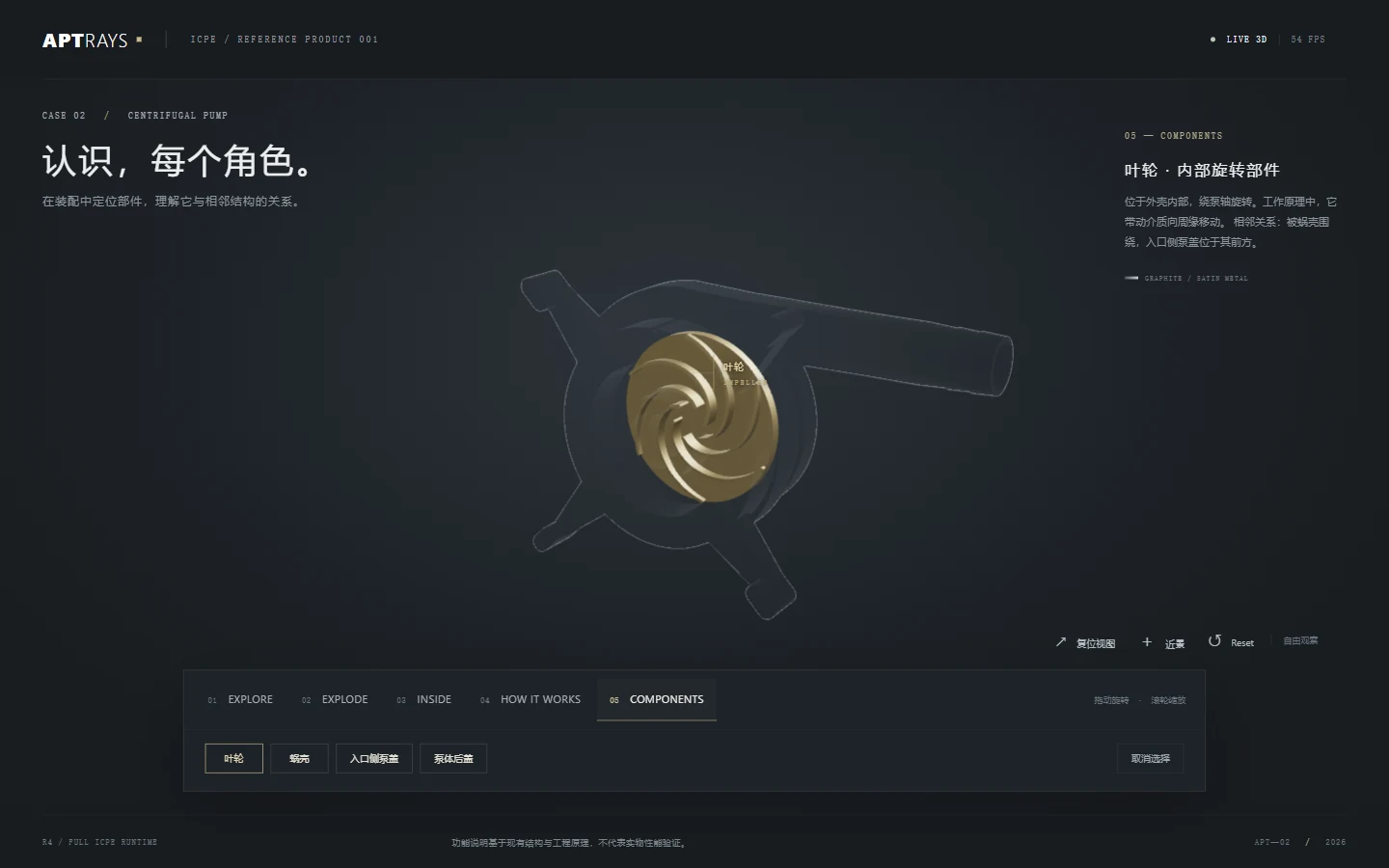
The component view isolates the impeller, volute, top and base. Returning to the assembled model connects each individual shape with its position in the pump.
The operating principle
Illustrate motion without overstating the physics.
The guided explanation reveals the impeller, shows rotation and traces an illustrative route through the inlet and volute. The animation helps communicate the intended operating principle.
Flow lines, rotation and RPM are explanatory. They are not CFD output or a prediction of pressure, efficiency or real operating performance.
The live scope
The website uses the frozen R5.1 desktop build. Explore, Explode and Inside offer different views of the same model, while Components and How It Works provide structured ways through the explanation.
The model is an adaptation of the credited engineering source. It does not imply that the original authors reviewed or endorsed this presentation.
For a similar client project
Turn technical assets into an explanation.
A similar project could include:
- Assembly and component views prepared from approved engineering data.
- A guided sequence with clearly labeled illustrative effects.
- An interactive product study for independent inspection.
- Source attribution, scope notes and developer handoff.
Important limits
This is an independent demonstration and technical validation study, not a client commission or an endorsement by the source authors.
Real-user understanding testing was not executed and was waived for this demonstration. Improved comprehension is an intention, not a measured outcome.
No CFD, manufacturing certification or universal device-performance result is claimed. Older Stage08 footage is not used as evidence for this R5.1 presentation.
The adapted pump is credited under Creative Commons Attribution 4.0 International.
Full source attribution & credits ↗The interactive version
Try it yourself.
Open the R5.1 viewer to move between Explore, Explode and Inside. Inspect the four visible components and compare the explanatory views.
- Explore
- Explode
- Inside
- Inspect components
Desktop R5.1 demonstration. No universal device-performance benchmark is claimed.
Sources & credits ↗